Inside the I.T.S. Framework
One architecture. An entire application platform.
A deep, navigable reference to the reusable .NET 10 runtime, controls, editors, grid cells, validation engines, context chains, and design decisions that allow complete enterprise applications to emerge from a stable framework.
The founding constraint
The database contract remains intact through the runtime.
The I.T.S. Framework does not create a second object model between SQL Server and the desktop application. A DataSet carries related tables, a DataTable carries schema and rows, and a DataRow is the runtime entity.
Typed extensions make the relational row practical without DTOs, mapping code, or a parallel change tracker.
Controls, columns, cells, commands, filters, relationships, and rules are resolved at runtime.
The framework extends DataGridView, Control, Form, and ADO.NET instead of hiding them behind a replacement platform.
DataRowState and DataRowVersion preserve edits until the complete changeset is validated and persisted.
The desktop runtime is actively developed on .NET 10 for Windows with Windows Forms, ADO.NET, DataSet/DataRow, and SQL Server 2025. Application and database tiers may run on premises, in a private cloud, or in commercial cloud infrastructure. The architecture is designed for governed enterprise environments where the application runtime stays close to SQL Server and users receive the experience through managed Windows sessions.
Layered architecture
Reuse depends on dependency direction.
The layers are not organizational labels. They prevent UI concerns from contaminating the data foundation, prevent business modules from becoming framework dependencies, and allow optional services to remain optional.
Explore the engineering
Follow a subsystem, or descend to an individual class.
Each section explains the problem that forced a family of components into existence, the mechanics by which it works, and the contracts that allow it to participate in the larger runtime.
Data Runtime
Why DataRow is the entity, how named DataSets become runtime packages, and how a complete changeset returns to SQL Server.
Explore the data runtime → 02 · COMPOSITIONDynamic UI
How aliases, reflection, recursive control trees, controllers, and metadata produce working enterprise screens.
Trace UI construction → 03 · EDITINGGrids & Cells
A complete editor ecosystem in which a configured cell can host a real control and remain part of DataGridView.
Enter the cell system → 04 · REUSEControls & Editors
Universal views, cross-reference engines, editor factories, toolbar fields, forms, and generalized audit capability.
Explore the controls → 05 · COORDINATIONRuntime Mechanisms
Parameter chains, validation, message codes, security context, caching, metadata, and calibrated event control.
Study the mechanisms → 06 · EXECUTIONApplication Lifecycle
One end-to-end trace from process startup and module activation through editing, validation, save, and merge-back.
Follow the lifecycle →The complete loop
Data, configuration, controls, and persistence share one chain of responsibility.
No single control owns the application. Each component contributes context, behavior, validation, or presentation through a small contract, allowing complete screens to be assembled without central code knowing every participant.
A real system, not a diagram exercise
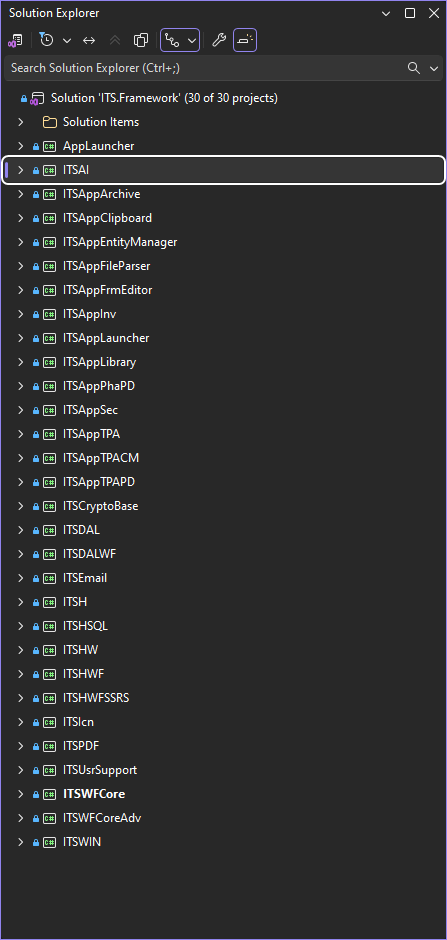
The architecture exists as a large, working .NET solution.
The reference combines conceptual models with actual solution structure, runtime captures, and component-level explanations. The visual map is only the entrance; the dictionary exposes why each major type exists.
Go from architecture to implementation.
Search the component dictionary by class, purpose, assembly, subsystem, or the problem a component solves.