The framework does not store a serialized screenshot of a form. It stores enough intent to select a control, configure it, place it, relate it to other controls, and let the shared runtime complete the behavior.
Configuration chooses implementations through stable aliases.
Storing assembly-qualified type names directly would make configuration brittle. Renaming a namespace or moving a class would break every definition. RflctnWF provides an alias boundary: configuration names a stable concept, and the runtime resolves the current .NET type that implements it.
The resolved type is still a real WinForms control. The dynamic builder creates it through reflection, gives it an identity, applies typed metadata through TPars, sets style and docking, and then repeats the process for each child definition. Containers do not need to know in advance which controls they will host.
This is why the naming visible in this reference is conceptual. Historical internal spellings can change or remain for compatibility; the architecture depends on contracts, families, and aliases rather than on presenting every filename artifact as a public design concept.
CtrlEdtrGrp acts as a runtime UI compiler.
CtrlEdtrGrp owns construction. It reads the root definition, resolves the control alias, creates the instance, assigns identity and visual properties, adds it to the parent, and recursively builds any children. A generated button receives its command identity from the same metadata that created it.
Construction is deliberately separated from orchestration. Building a tree answers what exists and where it is placed. Making those controls cooperate requires identity indexing, relationship resolution, target discovery, selection propagation, command execution, and parameter participation. That work belongs to CtrlEdtrGrpController.
| Stage | Primary participant | Responsibility |
|---|---|---|
| Alias resolution | RflctnWF | Decouple configuration identity from the current CLR type. |
| Instantiation | AsmActivator | Create a configured type and preserve diagnostic context when activation fails. |
| Common setup | ExtCtrl, CtrlStyle | Apply identity, metadata, visibility, enablement, style, docking, and lifecycle behavior. |
| Recursive layout | CtrlEdtrGrp | Attach each node to its parent and continue through its children. |
| Cooperation | CtrlEdtrGrpController | Index controls and establish data, filter, command, and parameter relationships. |
The controller turns a control tree into a system.
After construction, the controller indexes controls by configured identity. A definition can then say that one control filters another, that a generated button executes a named command, or that a child editor inherits values from the current parent row. Neither participant needs a compile-time reference to the other.
When a parent selection changes, the controller distributes the relevant row context to its targets. When a new child row is created, parent values can be propagated automatically. When a command requests parameters, the controller and its children contribute the values they own instead of placing all context assembly in the form.
This creates a distributed chain of responsibility. The controller knows how to locate participants and establish relationships, but each participant remains responsible for its own value, validation state, changes, and parameter contribution.
Configured names connect controls created at different points in the tree.
Selection and filtering behavior is described once and executed through shared controller logic.
Each component supplies the parameters and state it owns.
Indexes, definitions, datasets, and validators can be inspected when behavior is assembled dynamically.
CtrlV captures the recurring anatomy of an enterprise screen.
Operational screens repeatedly need a command area, filters, a primary list, optional detail, aggregates, status, and secondary controls. If every module designed and coordinated those regions independently, reuse would stop at small widgets. CtrlV captures the whole arrangement as one configurable view.
Each zone can be present, absent, or configured differently. The primary grid remains the selection authority; toolbar fields participate in parameter resolution; commands obtain enabled state from validators; aggregates respond to the live view; and editor definitions determine how the selected entity opens.
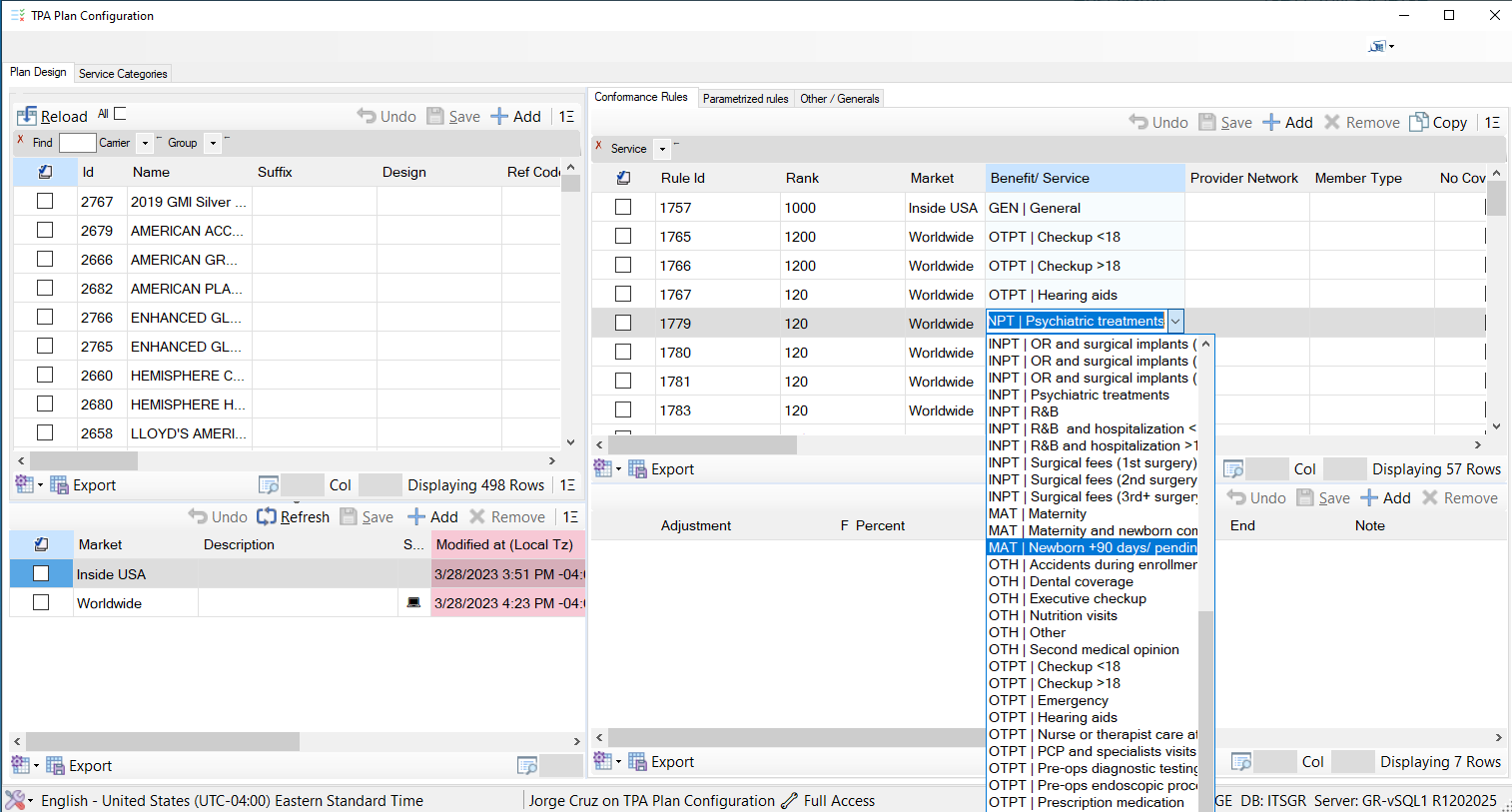
CtrlXBase turns many-to-many work into one reusable engine.
Assigning benefits to a plan, users to a role, services to a contract, or members to a policy are different business operations with the same interaction architecture. The user establishes a context, sees what is already related, sees what remains available, and moves records between those sets.
CtrlXBase validates the context selection, synchronizes both views, dynamically excludes already-related records from the available set, aggregates changes across both sides, and contributes the complete context to any command. CtrlXV and CtrlXH change only orientation; they do not fork the engine.
The indirection is valuable because its cost is understood.
Runtime composition gains change without redeploying module code, consistent behavior across many screens, reusable editor families, and the ability to evolve definitions centrally. The cost is reduced compile-time certainty. A misspelled alias or incompatible metadata value appears when the configuration is exercised, not when a module compiles.
The architecture addresses that cost with alias boundaries, explicit contracts, design-time support, structured metadata parsing, contextual exceptions, dataset explorers, validation inspection, trace events, and control indexes that can be examined while the screen is alive. Debugging shifts from reading only source code to inspecting source plus runtime state.
Indirection is not used to hide complexity. It is used where variation is expected, while stable mechanisms remain compiled, reusable, observable, and testable.
Next: descend into the primary editing surface.
The grid and cell subsystem shows how runtime-selected editors remain real DataGridView participants.