A reusable platform becomes valuable when it captures recurring behavior above individual widgets. I.T.S. controls combine layout, data, validation, commands, context, persistence, and lifecycle while remaining configurable specializations of stable mechanisms.
Control families are separated by what they are allowed to know.
ITSHWF contains business-free WinForms primitives: layout containers, nullable input controls, toolbars, imaging, printing, behavior infrastructure, and the grid hierarchy. They can be reused in any Windows Forms application.
ITSWFCore is the intentional boundary where those primitives meet the database contract, named data runtime, metadata, security context, validators, modules, and entity conventions. ITSWFCoreAdv contains composites whose coordination is substantial enough to remain isolated from the core.
Runtime-populated table layouts, row panels, split containers, group panels, collapsers, embedded forms, and transparent overlays.
Null-aware text, lookup, date, file, rich-text, list, and image controls that understand metadata and validation contracts.
Generated command items, hosted fields, split actions, pending-command feedback, renderers, shortcuts, and parameter contribution.
CtrlV, CtrlX, CtrlG, CtrlP, editor groups, child views, navigation, audit, logging, and entity-level capabilities.
A layered form family for dialogs, modules, entities, editor presentations, reporting, delegation, login, and the MDI host.
Dataset, table, cache, validator, trace, and debug-state inspection for a runtime assembled from configuration.
The composite view stack captures recurring screen architectures.
CtrlV standardizes the seven-zone operational view. CtrlG supplies the configured entity grid. CtrlP supplies a pivoted detail editor. CtrlVEdtrs connects the view to configured editor presentations. Together, they produce the common list-filter-command-detail pattern without requiring a new control hierarchy for each module.
CtrlXBase captures the separate but equally common cross-reference interaction. Context views, related records, available records, dynamic exclusion filters, move commands, grouped validation, and changes across both sides belong to one engine. CtrlXV and CtrlXH vary only the orientation.
| Composite | Problem captured | Reusable contribution |
|---|---|---|
CtrlV | Most entity screens repeat commands, filters, list, detail, aggregates, and status. | One configurable seven-zone view with coordinated context and validation. |
CtrlG | An editable list requires much more than a bound DataGridView. | Configured cells, selection memory, master-detail, validator, changes, and save path. |
CtrlP | Wide or variable entities need a detail editor without a hand-designed form. | A property/value presentation over the same DataRow and editor engine. |
CtrlXBase | Many-to-many assignment repeats the same context-related-available interaction. | Two synchronized views, dynamic filtering, commands, grouped validation, and full-context parameters. |
CtrlVChild | Child views repeatedly depend on the current parent row. | A reusable detail view driven by parent selection. |
CtrlChilds | Several children must remain coherent as parent selection changes. | Coordinated distribution and refresh across a child-view collection. |
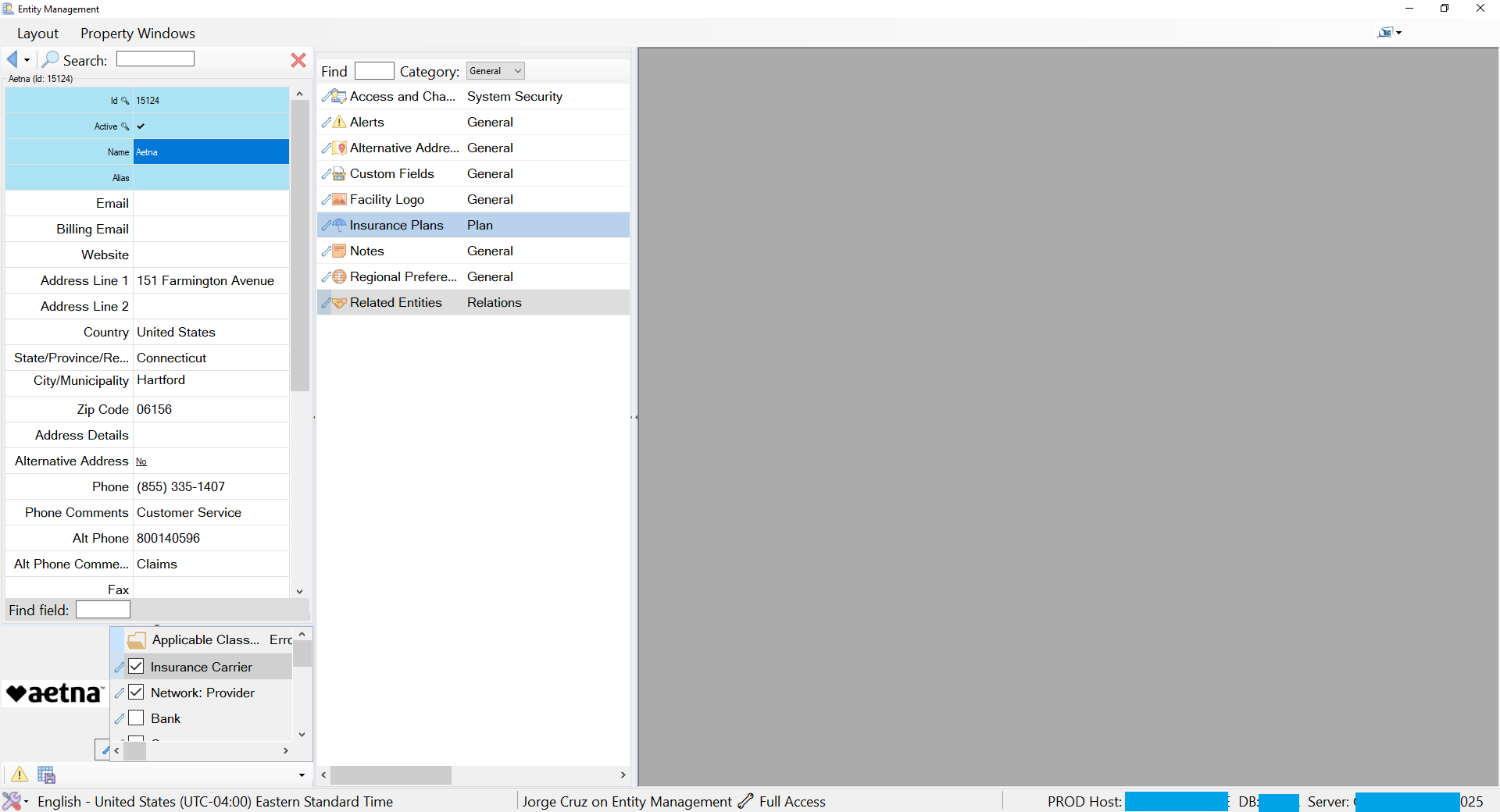
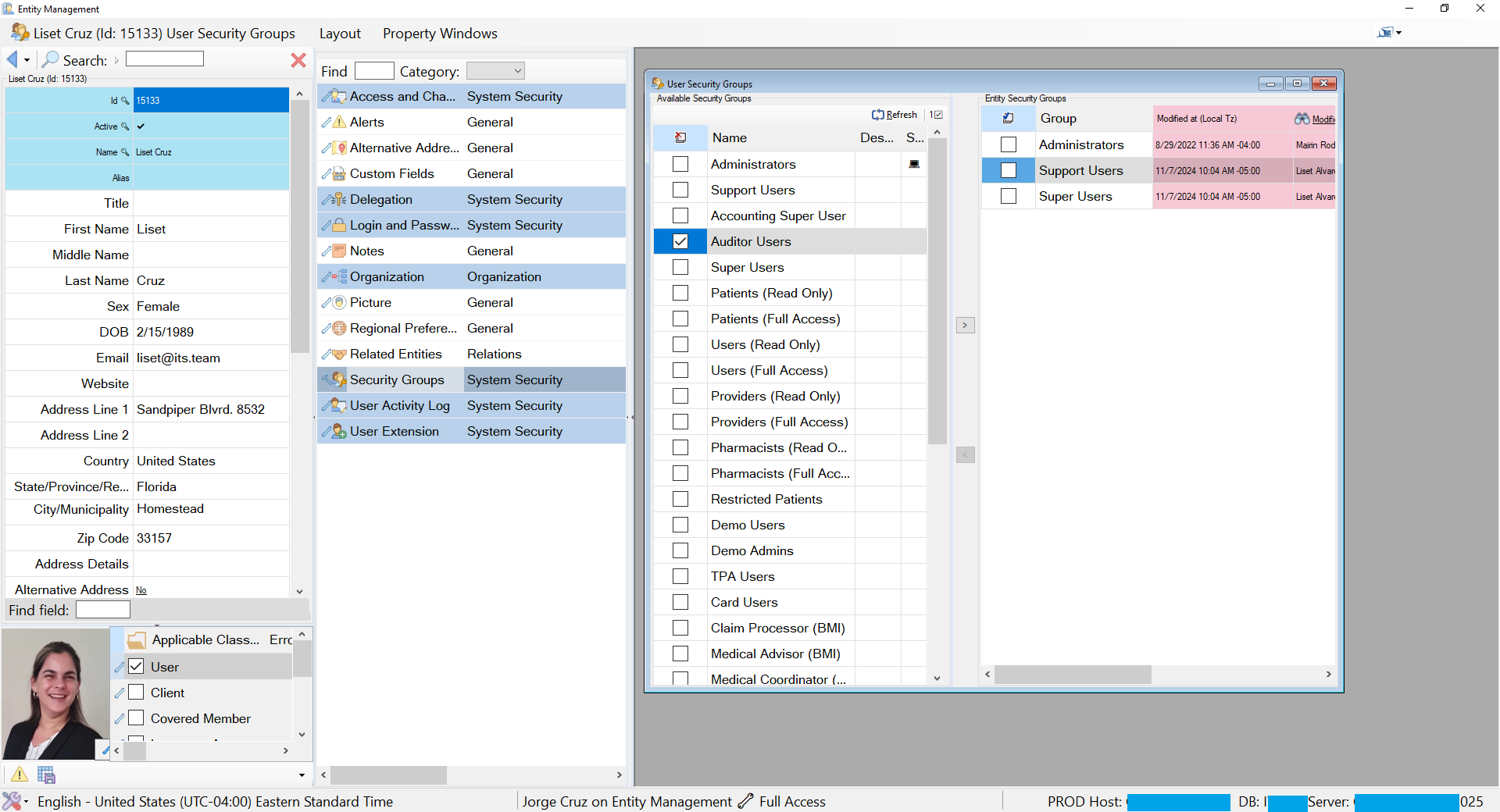
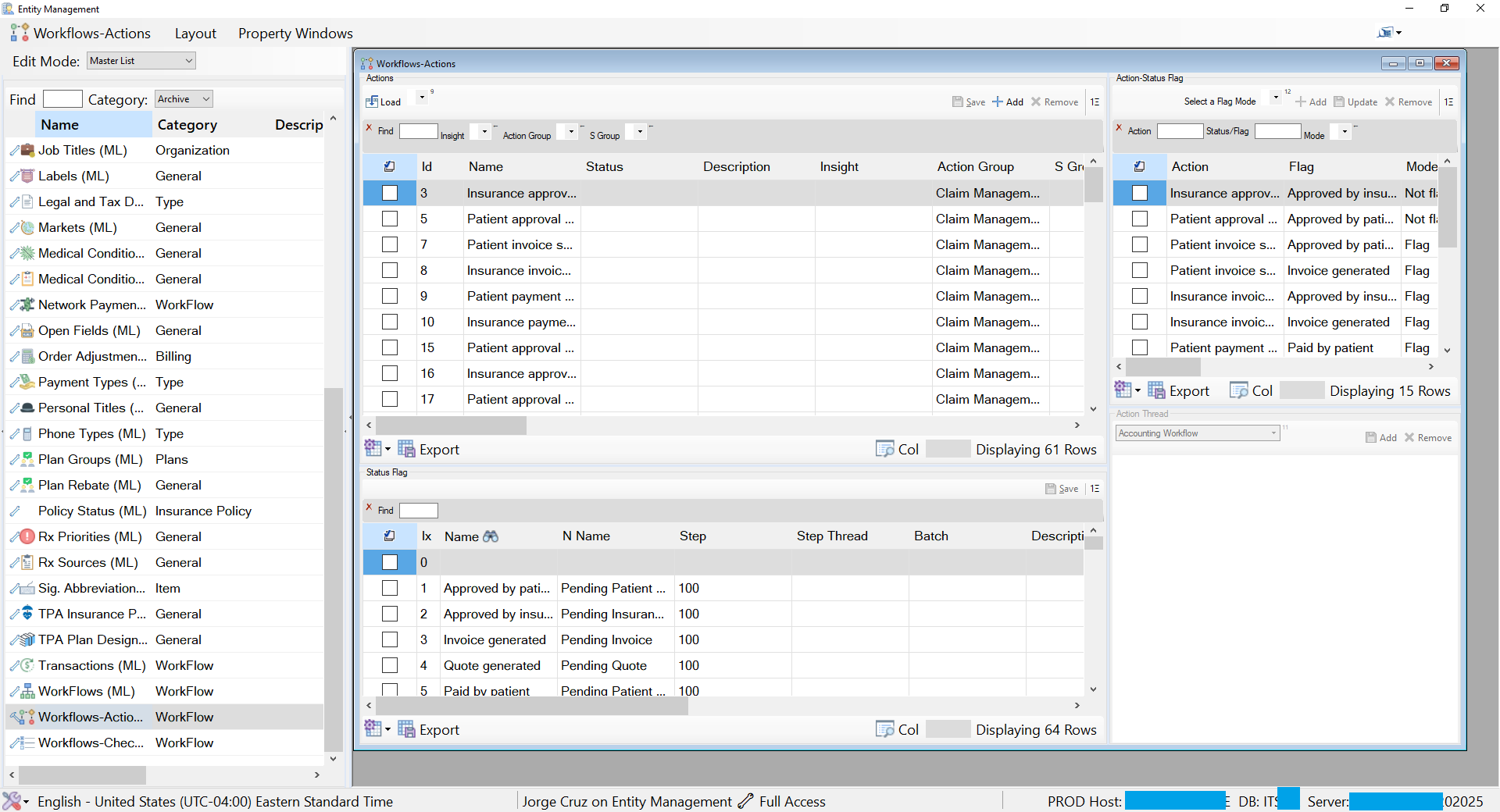
The same runtime appears as very different business applications.
The visible subject can be a facility, user, workflow, security group, insurance plan, or master list. The underlying machinery remains familiar: a pivoted entity view, configured sections, reusable relationship controls, active grids, commands, filters, status, validators, and editor definitions.
That distinction is the evidence of platform reuse. The framework does not force every business object into an identical screen; it reuses the same architectural capabilities while configuration selects the data, relationships, layout, cells, and actions appropriate to the current entity.
Editor selection is separated from the request to edit.
A command should express that an entity needs editing. It should not embed the assembly, form type, modal strategy, constructor signature, or presentation. EdtrFactory resolves those choices from configuration and gathers constructor arguments by name from the calling form and control context.
The editor family shares one contract for loading definitions, exposing changes, contributing parameters, owning validation, saving, and protecting unsaved work. Presentation variants then choose list, pivot, dynamic group, image, MDI child, row search, login update, or other specialized experiences.
CtrlEdtrGrp is the dynamic form surface; CtrlEdtrGrpController makes generated children cooperate; CtrlEdtrBase and its frame, defined, and container variants supply the common control-level editor contract. EdtrExt keeps discovery and lifecycle operations consistent across the form and control families.
The command bar is also a context and parameter surface.
Business commands are rarely context-free. They operate against a selection and often require dates, lookup values, booleans, search text, or action options. The toolbar family hosts those fields beside the commands they affect and lets each item contribute its own value to the parameter chain.
CtrlTSControlHost solves a limitation in ToolStrip: it hosts arbitrary controls inside a double-buffered, auto-sizing flow panel so several fields can behave as one logical strip item. CtrlTSHostField adds labels and shared tooltip behavior. Text, combo, checkbox, and date field variants translate their values into command parameters.
| Family | Why it exists | Contribution |
|---|---|---|
TSBtn, ImgBtn | Buttons need command identity and rule-driven enabled state. | Command activation connected to WFValidator rather than local conditionals. |
CtrlTSFieldTxt/CB/Chk/DT | Filters and action inputs belong with the commands that consume them. | Typed fields that participate directly in parameter resolution. |
CtrlTSControlHost | ToolStrip cannot natively compose rich, resizing field groups well. | Arbitrary hosted controls as one layout-aware strip item. |
CtrlTSCmm family | Plain, view-scoped, list, and parameterized commands share execution mechanics. | Configured command items that gather context and resolve status consistently. |
CtrlTSPendingCmm | Queued or long-running actions should never be operationally invisible. | A consistent pending/running signal in the command surface. |
Logging and audit are capabilities an entity acquires.
CtrlLogBase, CtrlLog, CtrlActionLog, and EntityWActionLog do not belong to one module. A configured entity can declare activity-history behavior and obtain the same filtered log, action definitions, working-set scope, validation, confirmation, bulk execution, persistence, and merge-back as any other entity.
CtrlLogBase supplies a filtered and sorted history view, a debounced filter so typing does not re-query per keystroke, a working set that scopes actions to selected records, and per-set column visibility. CtrlLog adds validation before save, chooses single-record or bulk-action datasets, confirms through MC, and merges results back into the live set.
EntityWActionLog exposes its embedded action log as part of the entity's own contract. Its StatusValidator property returns the child's WFValidator. The composite therefore inherits a capability by delegation instead of recreating its rules.
The form family carries shell behavior into every presentation.
ITSFrm0 establishes identity, configuration, parameter participation, messages, and cleanup. ITSFrm10 adds framework services and validator ownership. ITSFrm30MFrm adds module registry and MDI child semantics. ITSFrm40EMFrm adds entity views and editor coordination.
Specialized forms then address real activation contexts: ITSFrmMDIP is the shared shell; ITSFrmV hosts a configured view; the ITSFrmEdtr variants provide list, pivot, group, image, MDI, search, and credential-update presentations; reporting, delegation, cloning, login, and audit forms remain consistent with the same lifecycle.
The hierarchy exists so a module form inherits security, context, messages, validation, parameter resolution, and disposal automatically. A specialized form contributes only the presentation or capability that differentiates it.
A generated runtime needs first-class introspection.
DebugFrmDSExplorer exposes loaded DataSets, tables, relations, and row states. DebugFrmTblViewer focuses on one table. FrmCacheStatus shows occupancy and expiry. DebugTrace records execution movement. Composite controls can expose validator state so a disabled command has an inspectable reason.
These are architectural components, not developer afterthoughts. When definitions, relationships, and rules are resolved at runtime, the application must make that runtime state visible enough to diagnose safely.
Next: study the mechanisms shared by every family.
Parameters, validation, messages, security, caching, debounce, and metadata are the coordination systems that let independently reusable controls behave as one application.